AI versus Marshy 76 - building a focus tunnel
AI versus Marshy 76 - building a focus tunnel
going down the rabbit hole of building a custom tool on my mac for battling distractions with ADHD
Heya!
I had some great responses to the last newsletter - and it was good to know I’m not the only one posturing on this.
I’m going to get into the weeds on a thing I mentioned: focus_tunnel.
Focus_tunnel is some tooling I’ve put together for myself to combat my ADHD traits.
I’m prone to distraction.
Squirrel! 🐿️
See?
As a knowledge worker this is bad.
I’m on my very engaging computer every working day.
If I go in day unprepared, tired, or in a suboptimal state, I am bombarded by:
- new emails
- Slack pings
- SMS messages
- phone calls
- notifications on my phone
- calendar reminders
- LinkedIn notifications
- LinkedIn DMs
…and so on.
Standard advice in this space is use a web blocker, disable notifications, and look - this doesn’t work.
A good portion of my work these days is recruitment.
So I find myself on LinkedIn looking for and communicating with people whether I like it or not.
A couple of years ago I interviewed about 20 knowledge workers with ADHD to see if they managed things any better - the short answer is no.
I was looking for a reason to build an app idea in my head.
It went like this:
- I need something that shuts down all of the apps, but leaves some open when I want it too.
- It has a task list, but not like a silly militant task checker app.
- Tasks hover over the screen so I don’t forget them.
- Sometimes I just want one site open - sometimes I need multiple open.
- It should also track “drift” - so when I’m starting to browse and muck around - it needs to suggest a break.
Now if I ever wanted to build this with a developer it would be expensive.
Not only that - they’d get pissy and frustrated because I would keep changing the app idea after they built it.
Enter: Claude Code.
I built focus_tunnel to produce all of this.
I pick when I want to start a session:
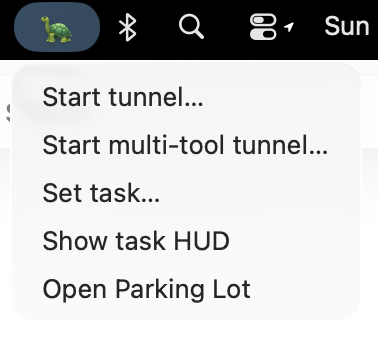 It came up with the turtle - it’s random sh*t that like that which blows my mind more than it solving medical exams
I then need to pick one tool to focus on.
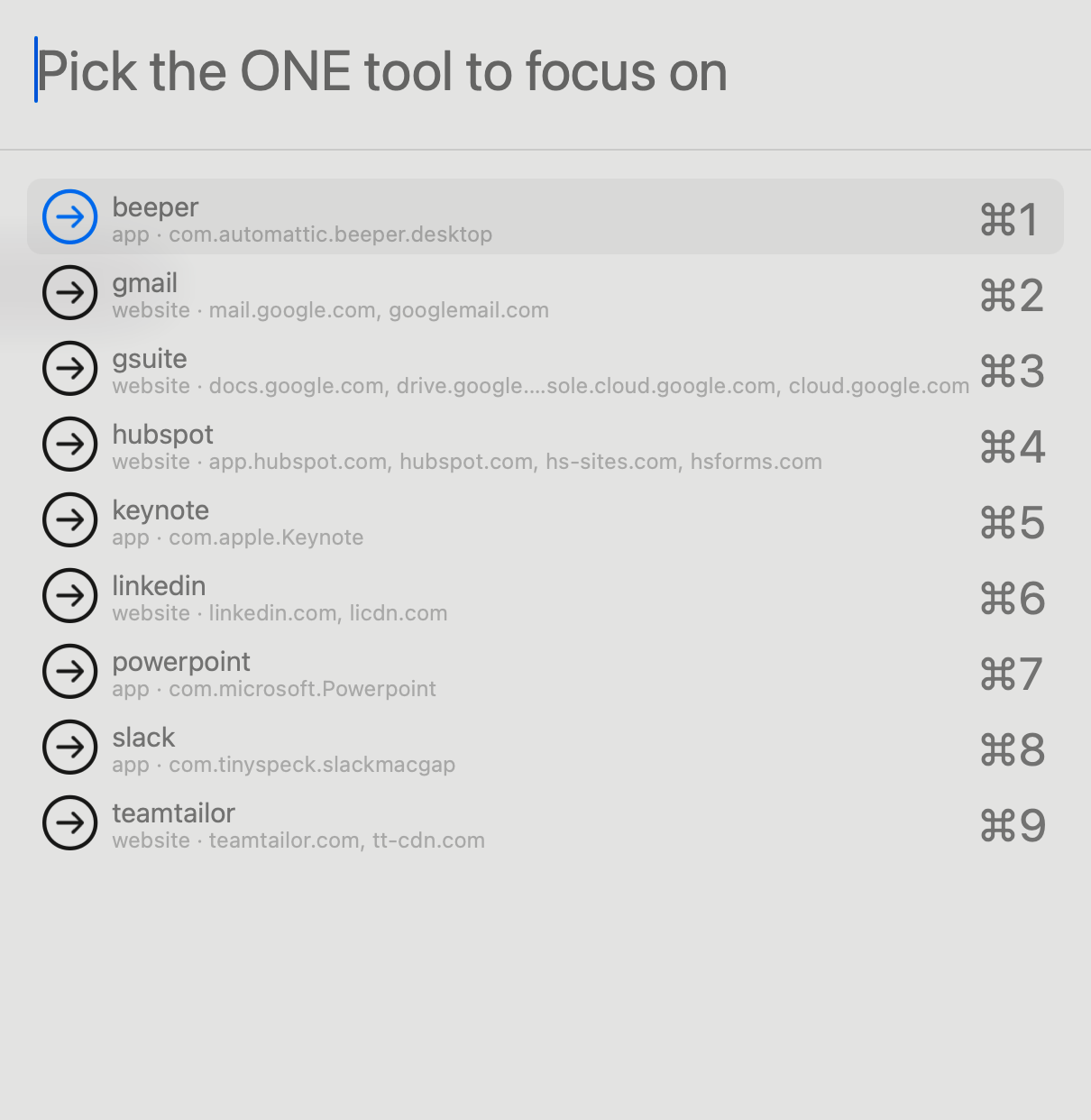 pick one fool
This seems pretty extreme right?
Like wouldn’t most of my workflows require me to move between Gmail and Gsuite?
Well - yes.
But what I was finding was that switching in that way was KILLING me.
Take going from Gmail to Google Drive to get a file.
I am at the mercy of:
- other tabs
- other emails
- other files within Google Drive
- any of the bombardment threats mentioned earlier (SMS, text, DMs etc)
- then I have to get back to the original email unscathed
This sounds over the top - surely it’s not that bad Marshy - maybe once upon a time it wasn’t that bad.
Do you know what I think is over the top?
❝
Having a workflow as prone to distraction as the above and thinking that’s normal**.**
Marshy
It’s done my head in for a very long time.
Now I can build something to combat it and it felt good.
So let’s say I’m using Teamtailor to sweep new applicants on the roles I have open.
But I know I can forget what my task is mid-task.
I have a see-through post-it that just lets me continue to know what I’m doing.
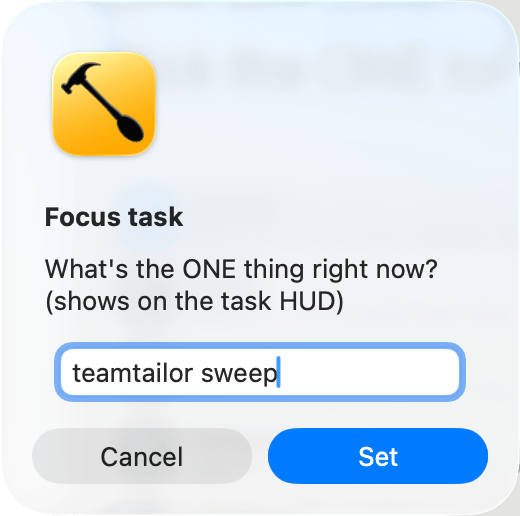 one thing at a time you can do it
With ADHD there are only two times (now and not now).
When I set a task, I’m committing to doing that task and have a reminder, and have Cold Turkey block everything else.
Including other “work”.
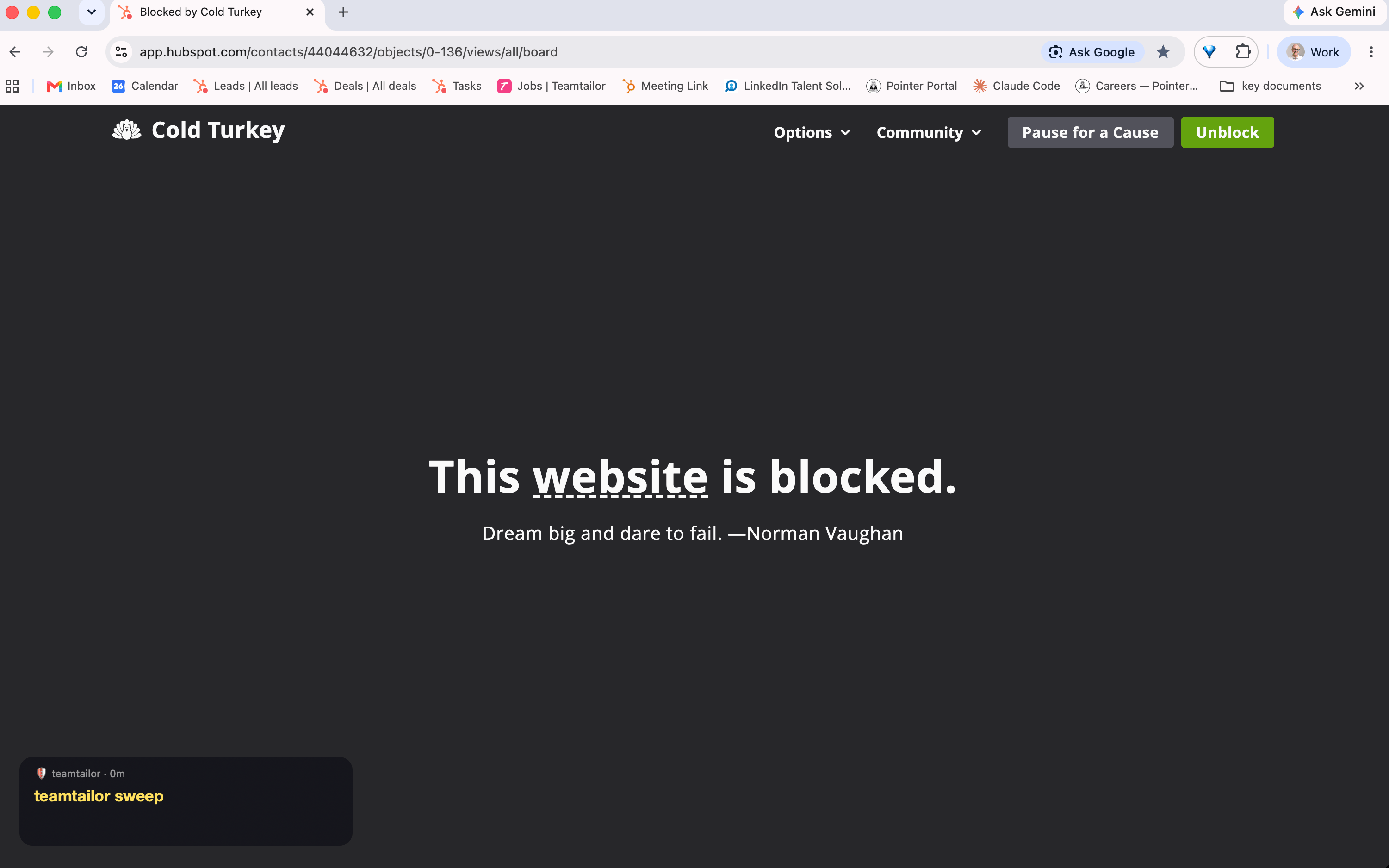 stay in your lane mate
I need to be able to access Hubspot for work - but not while I’m doing the other thing. Told.
When I need something I can open up a text editor (I use Typora) and make note of it
This worked pretty well.
But I found that sometimes I do need multiple tools open, so I changed the build to include the opportunity to have multiple work streams open.
It’s cumbersome enough to make it so I only use it if I have to.
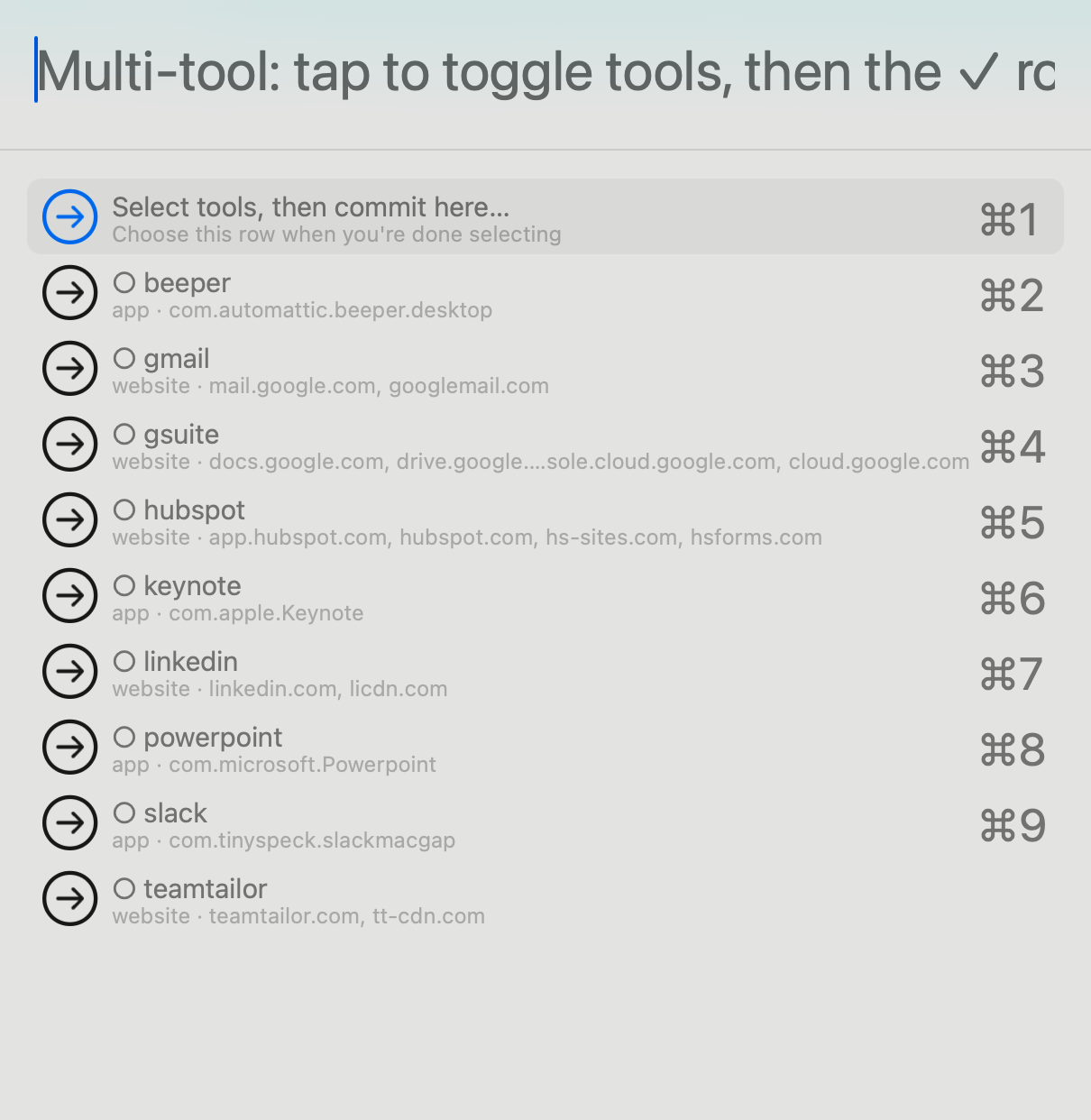
And if I want to switch - I have to give it a reason:
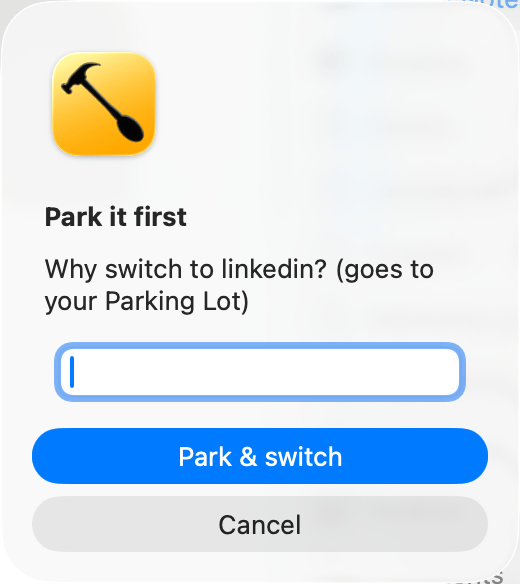 give me a reason mate
This isn’t a magic bullet workflow.
I have to want to turn it on.
It blocked apps I needed and I had to keep recoding to “let them in” - calculator, calendar, screen capture tool.
It got caught in an endless loop tonight when an edge case stumped it.
This is frustrating.
But I can simply change the code, and it’s fixed.
I love that this can happen.
My friend Dave calls this “folk software”.
I just call it being able to fix up and create things in a way that matches how my brain works.
-Marshy
p.s. my beloved and I bought a house this weekend wooo
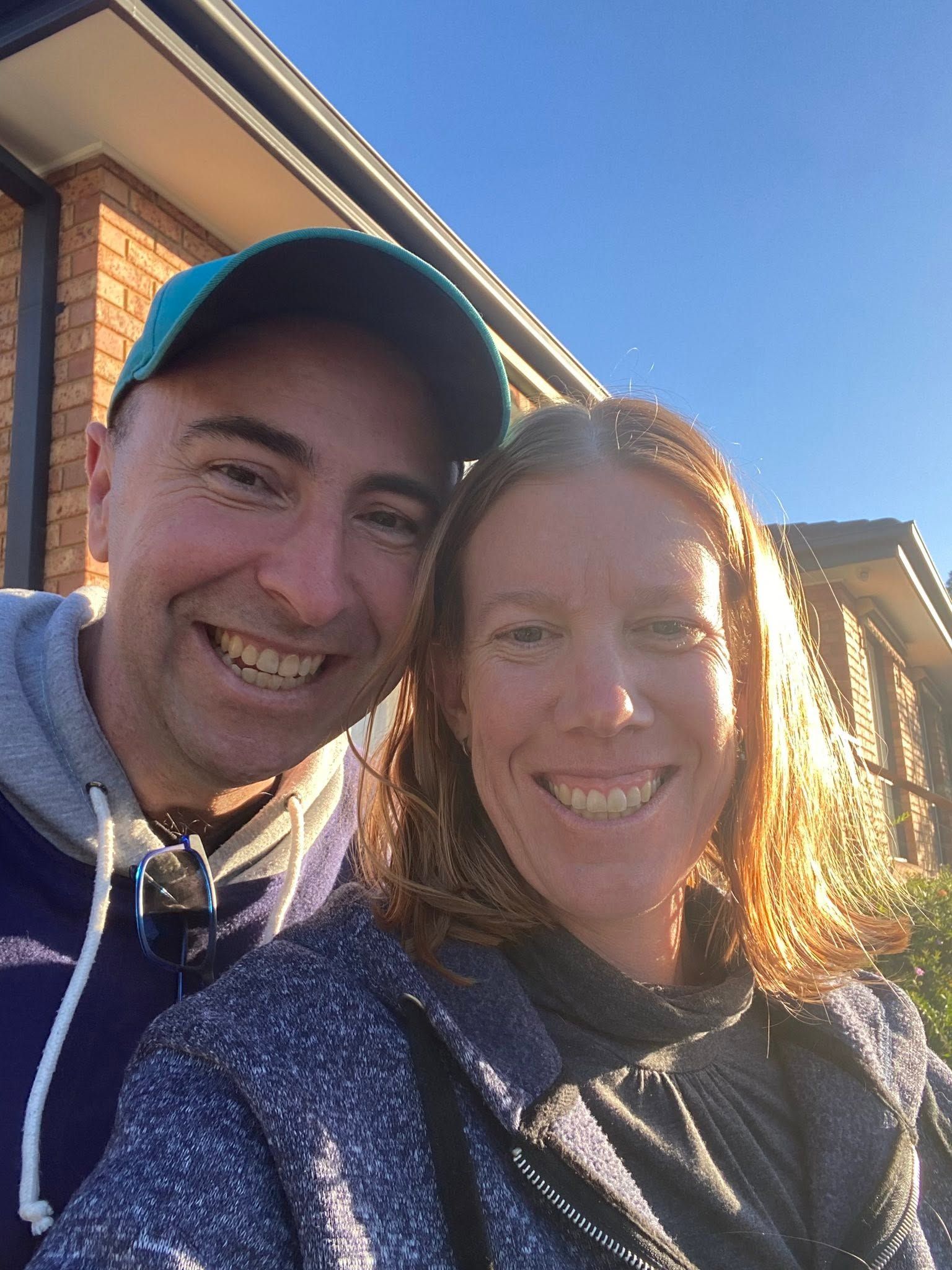 golden times!
Want more of this?
Weekly-ish thoughts on AI, growth, and being human in tech. Sometimes useful, sometimes not.